Healthcare documentation plays a vital role in care delivery, yet inefficient processes continue to place unnecessary strain on clinicians’ time. In many practices, providers spend hours re-entering information that has already been captured during patient intake. This repetitive documentation leads to inefficiency, frustration, and reduced face time with patients.
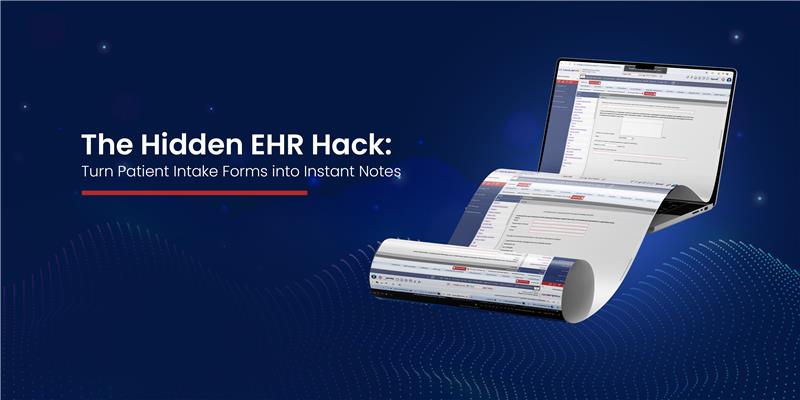
ModuleMD’s Form-to-Note Mapping is designed to solve this challenge by transforming patient intake forms into structured, ready-to-use EHR service notes, automatically, accurately, and always under full provider control.
Across healthcare in 2026, clinician burnout is increasingly driven by administrative workload rather than clinical complexity. Industry studies consistently show that providers spend a significant portion of their day re-documenting information already collected earlier in the care journey. As a result, healthcare organizations are adopting documentation reuse and intake-driven workflows that minimize duplicate data entry. Solutions that seamlessly convert patient-entered intake data into structured clinical notes are emerging as a practical way to reduce after-hours charting, improve efficiency, and support sustainable clinical operations, without compromising provider oversight.
Form-to-Note Mapping allows patient intake form responses to flow directly into the appropriate sections of an EHR clinical note. Instead of manually copying information, data collected from patients or front-office staff is intelligently routed to mapped note sections within the EHR.
Practices can customize exactly which form fields map to which sections of the clinical note, aligning documentation with their specific workflows and clinical preferences.
The result: cleaner notes, fewer clicks, and faster documentation.
One of the biggest sources of documentation burden is re-entering subjective information that has already been collected. Smart Form-to-Note Mapping significantly reduces duplication by automatically populating commonly repeated sections, including:
By reusing verified intake information, clinicians can focus on reviewing and refining—not retyping.
Automation should support clinicians—not replace clinical judgment. With ModuleMD, providers always remain in control of their documentation.
When creating a service note, clinicians are prompted with a simple question:
Nothing is copied automatically without provider confirmation, ensuring flexibility and confidence in documentation.
Many patient visits involve more than one intake form. Smart Form-to-Note Mapping supports this by allowing multiple forms to feed into a single service note.
For example:
Both can be mapped to the same visit note, ensuring comprehensive documentation without added effort.
When copying is enabled, providers see a list of the most recently completed forms—clearly labeled with submission date and time, making it easy to select the correct one.
Once mapping is configured, the workflow is simple and intuitive:
1. Create a Service Note
When a provider creates a visit note, a pop-up asks whether patient form data should be copied.
2. Choose Yes or No
When secondary claims depend on primary EOBs, even small delays can cause secondary deadlines to lapse.
3. Select the Form(s)
If forms have been completed, a list appears showing available intake forms with submission date and time.
4. Confirm Selection
Providers select the appropriate form(s) and click OK.
5. Auto-Populate the Note
Selected form data is automatically copied into the mapped EHR note sections.
6. Edit as Needed
All copied content is fully editable. Providers can review, refine, and finalize documentation directly within the service note.
This feature directly addresses some of the most common EHR pain points faced by healthcare providers today.
Key Benefits:
By reducing administrative burden, clinicians can spend more time on what matters most, patient care.
Smart Form-to-Note Mapping is designed to streamline workflows while preserving clinical flexibility. It helps practices maintain accurate, complete documentation without forcing rigid automation or disrupting established processes.
Efficient documentation. Fewer clicks. More time for patients.
With ModuleMD, intake forms don’t just collect data, they power better clinical documentation.
You may like these too…